
Select Dental Management + onDiem have partnered together.
onDiem is an easy-to-use online platform that connects dental practices with verified dental hygienists, dental assistants, and front office team members looking to pick up shifts.
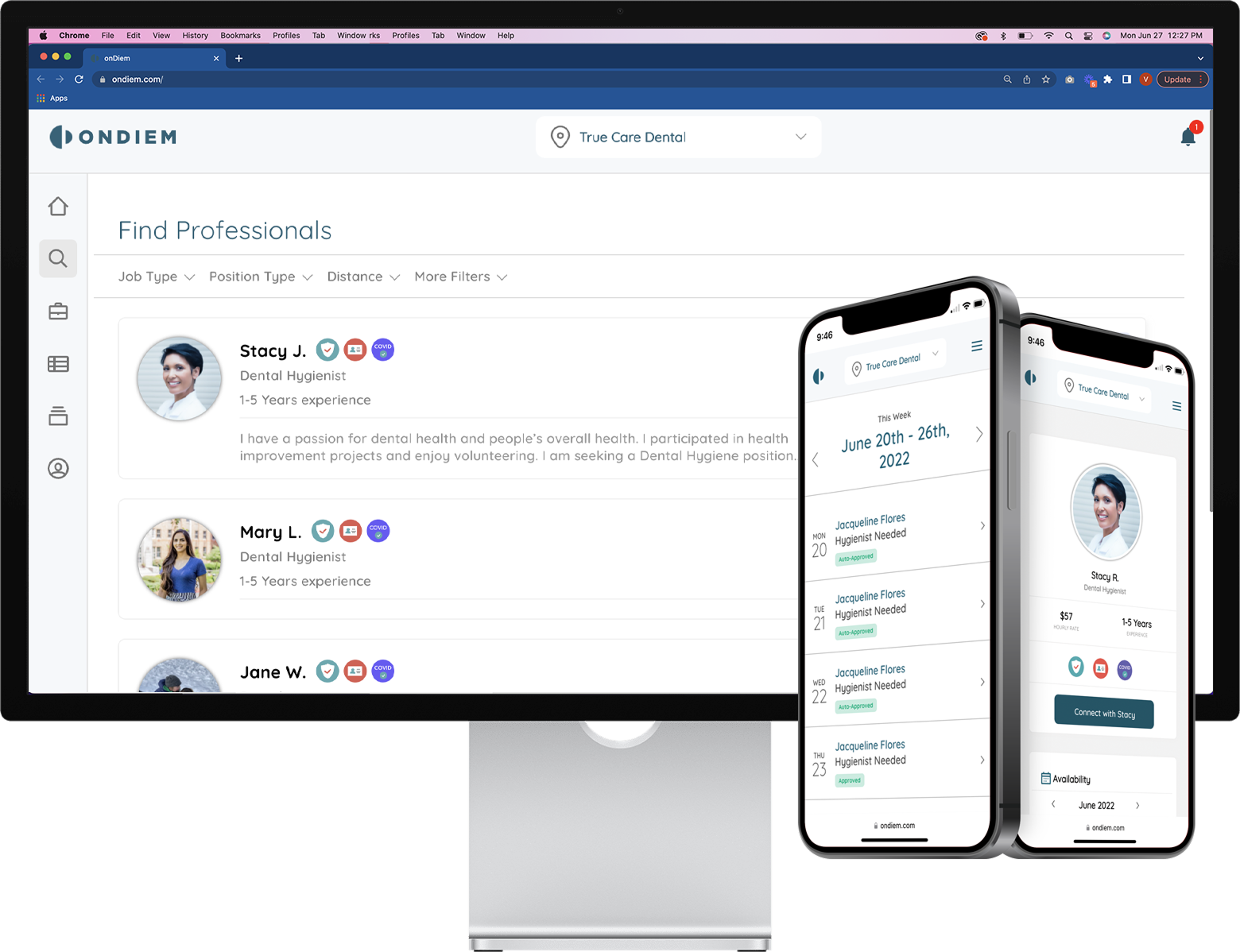
onDiem is fully vetted and contracted with Select Dental Management to ensure that our high standards for liability and indemnification are met.
- There is a $0 temp-to-perm fee for hiring a temp directly to the office— meaning if you offer a full-time position to a temp, no conversion fees are owed to the agency.
- An average of 10% lower than traditional staffing agencies— meaning you will pay less for much-needed coverage!
- The key to success is offering competitive pay rates!
*Please note, like any temporary staffing agency, there is no guarantee that there will be an available temp for the shift that you post; however, onDiem will post shifts on social media and market them to drive interest in listed positions.
Office Manager/Team Lead Resource for Team Questions/Responses related to Temp Providers
Please understand that the providers who will join us for temporary shifts may find our practice to be the “forever home” they are looking for. In order for them to see and feel our culture, each of you will play a role. Think about the importance of welcoming them, showing them around, supporting them throughout the day and sharing with them more about our practice and team. Temp providers often decide to join a team permanently based on their experience filling a temp shift.
onDiem offers a zero temp-to-hire conversion fee, you are encouraged to offer open positions to the professionals working with onDiem
Most importantly, we want you to understand that you are an important member of our team. As a provider and a dental hygienist, you are an important link in our patient’s oral and overall health. You likely are aware that we have had a job posted for (insert position – full time/part time) and we are continuing to source for a permanent team member in this role. In the interim, we can provide access for our patients to get scheduled and receive care through a partnership with temporary team member positions. While these positions can at times fluctuate with market wages as there are many variables that impact the market with temps. It is important for you to also understand that a temp position does not have the same securities of a permanent position. These things can include: regularly scheduled hours, standard operating procedures for safety and clinical care, a growing rapport with patients and team members, and other benefits, and that is why the wages can vary.
Cancellation fees:
- 25% of the total invoice if a scheduled shift is canceled within 24–72 hours of the shift start time.
- 100% of the total invoice if a scheduled shift is canceled with less than 24 hours' notice.
- No charge if cancellation is due to the professional.
Practice User Training
- Locate the shift that has pending offers/requests (you’ll see a red alert symbol in the upper right corner on the shift date, and 'requests' will be displayed in red under the listing description).
- Click on the listing to view pending requests/offers.
- From here, you can see who has requested the shift or review any offers that were sent.
- Go to onDiem.com or click the sign in option on the banner at the top of this page
- Click login and use your email address as your ID
- You should have received a temporary password to use but can click the forgot password option to reset it
- go to the settings once logged in to update a password that you will remember for future use.
- Find the previous shift on the calendar.
- Select ‘Review Timesheet’ (bolded in red) from the calendar view.
- You can view the timesheet status and submit any changes if needed.
- No payment should be made at the practice level as the invoices are sent to the corporate level for processing.
- Click on the spyglass icon (second from the top left).
- Use filters such as position, distance, and more to find the right professional for your needs.
- Only professionals that have login in the last 30 days will show up here but ALL pros in a 50 mile radius will be alerted to your job when posted.
- Click on the shift listing.
- Click on 'Messages' on the left side.
- At the bottom of the screen, click on 'Start a message with Chandra G.'
** Note: You can only send messages to a professional if they are scheduled for a shift or if they have sent you a message first.
- Locate the shift you want to send offers for.
- Click ‘Offer to Pros’ under the shift listing.
- Select 'All' or pick specific professionals you’d like to offer the shift to.
- Hit ‘Make Offer’ to complete the process.
- Offering process directly from job listing is currently limited to only being sent to the professionals that have identified that day as available on their calendars. This is a newer feature and many have not yet completed this request. They are however still getting alert of your posts.
- make an active private post first
- go to the icon on the left side menu with three people standing together
- click invite SafePay pro and add the information required
- select the date this person will work and send
- alert the professional to look for an email with an invitation link from us and let them know they need to complete onboarding process before the end of their shift
- Find the date of the listing you’d like to replicate.
- Click on the three dots in the calendar date section.
- Select 'Copy.'
- This will allow you to reuse the previous job post. You can make any necessary changes and even select multiple dates if the information remains the same for future listings.
- click on the 5th icon on the menu to the left (looks like an open drawer with files)
- at the center of the screen, click "onDiem Temps" to see all scheduled professionals
- click on the name of the professional and you can now access the license details should you need them to set up an access in your PMS
- Log in to your onDiem account and click the briefcase icon (third down on the upper left).
- At the top of the calendar, scroll through the months to find the date you need.
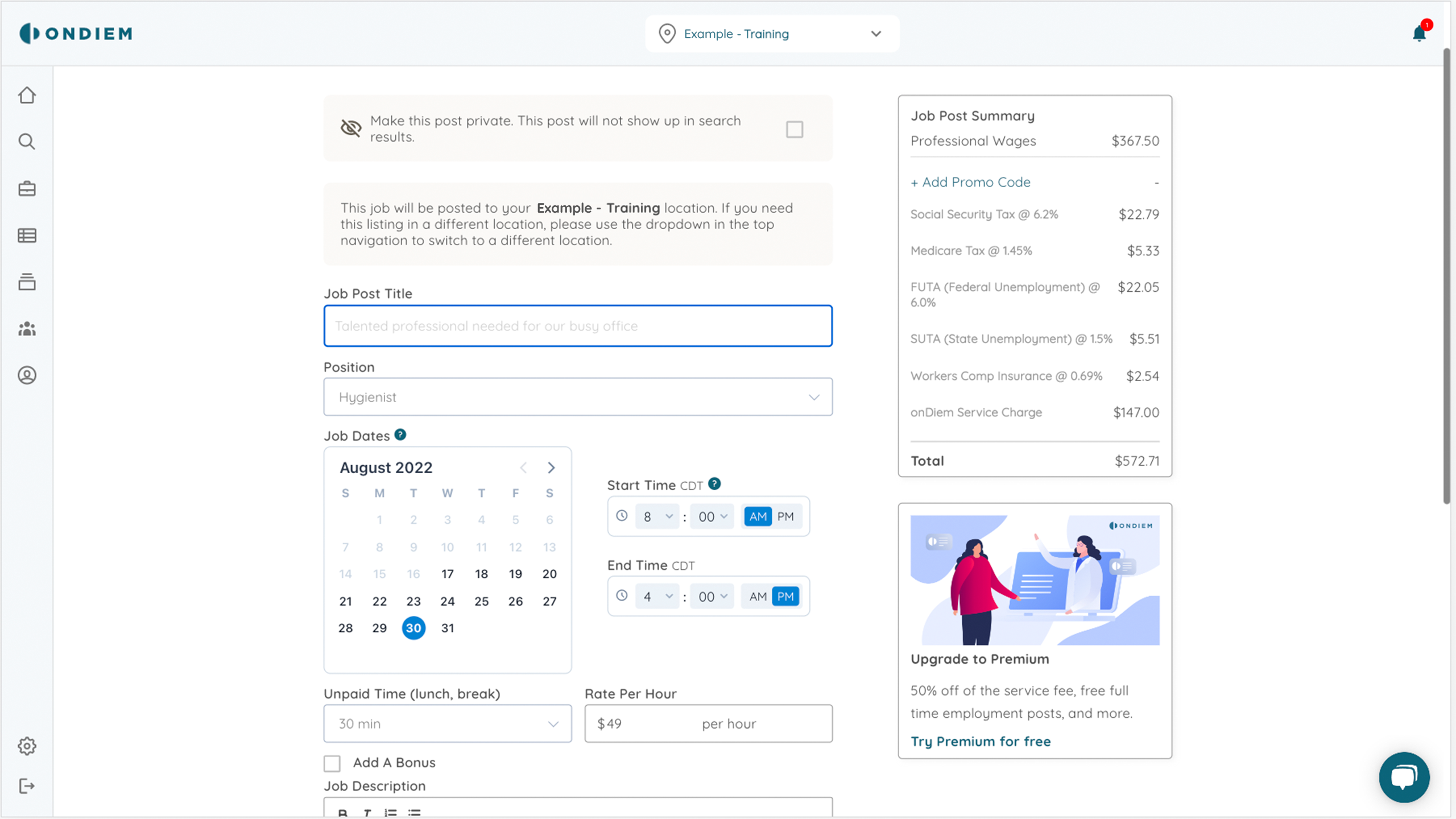
- Select the date on the calendar and click ‘Create a Job Post’ at the bottom of the date section.
- Enter the necessary shift details.
- If the hours match for the day, you can choose multiple days on the calendar within the post module (adds a blue ring around date) which will bulk post and duplicate that post for you to all those days chosen.
View / Unblock Blocked Professionals
- Log in to your onDiem account
- Go to Settings (gear icon on the lower-left)
- Select Blocked Professionals
- View the list and select Unblock if needed
Important: If the professional was blocked by an onDiem representative, you will not be able to unblock them. Please contact support@ondiem.com for assistance.
- While creating a shift, choose the selection at the bottom of the module as "offer only".
- This link will then not be seen on our platform but you can send it to a SafePay professional, someone you select in the find professional section, or by copying the link from the post.
- Log in to your onDiem account and click the briefcase icon (third down on the upper left).
- At the top of the calendar, scroll through the months to find the date you need.
- Select the date on the calendar and click ‘Create a Job Post’ at the bottom of the date section.
- Enter the necessary shift details.
- If the hours match for the day, you can choose multiple days on the calendar within the post module (adds a blue ring around date) which will bulk post and duplicate that post for you to all those days chosen.
- Log in to your onDiem account.
- Navigate to the date of the listing you need to cancel.
- Click on the three dots next to the listing description.
- 'Cancel' if the listing has a scheduled professional or any pending requests/offers. If there is no one scheduled and no outstanding requests/offers, select 'Delete.'
- Cancellation fees:
- 25% of the total invoice if a scheduled shift is canceled within 24–72 hours of the shift start time.
- 100% of the total invoice if a scheduled shift is canceled with less than 24 hours' notice.
- No charge if cancellation is due to the professional.
Block a Professional
- Log in to your onDiem account
- Open the professional’s profile (from a shift request or using the Search tool)
- Select Block (Pro Name) in the lower-right corner
- Enter a reason for blocking
- Select Confirm to finalize
Note: Blocked professionals are not notified. They will simply no longer see your practice or your listings.
- Find the date with the existing listing that requires an additional shift.
- Click ‘Add a Job Post’ at the bottom of the date section.
- Fill in the necessary details and save.
General Manager Resource for Team Questions/Responses related to Temp Providers
We are looking for a knowledgeable, dedicated Dental Assistant to join our team. The Dental Assistant ensures that quality patient care is a priority. Dental Assistants are an essential part of the team that help the dentist to set up equipment, educate and prepare patients for treatment, aid the dentist in the safe and efficient execution of procedures, and record and document procedures as directed by the Practice Leader.
Duties/Responsibilities
- Greet and prepare patients for treatment in a timely, pleasant, and professional manner.
- Sterilize and prepare instruments for tray setups before dental procedures.
- Take diagnostic-digital imaging as prescribed by the dentists.
- Practice within the legal scope of assistant duties with or without certification, depending on state regulations.
- Maintain meticulous records on patient charts and documents.
- Setup and breakdown rooms according to infection control protocols between patients.
- Communicate patient and equipment needs with co-workers.
- Adhere to OSHA guidelines, HIPAA Privacy Policy, and clinical operating procedures.• Work with and maintain all dental equipment.
- Positively contribute to a respectful and collaborative working environment.
- Facilitate patient comfort, care, and satisfaction in a professional manner.
- Present to work during scheduled shifts.
- Other duties as assigned by Practice Leader and/or Dentist.
Education and Experience
- At least one year of dental assisting experience.
- Current CPR certification.
- Other State License/Certification Requirements based on the state you are employed.
- Dental Assisting National Board (DANB) Certification preferred.
We are looking for a motivated, resourceful, customer-driven individual to join our team as a Front OfficeCoordinator. This position serves as a welcoming presence to all patients, vendors, and guests while offering day-to-day expertise in practice-level functions. This role is provided direction and responsibility for various administrative and clinical tasks daily and is assigned those responsibilities by the PracticeLeader.
Duties/Responsibilities
- Maintain meticulous records to ensure all provider, insurance, and patient accounts are recorded and posted correctly.
- Schedule and confirm patient appointments to maximize the provider schedules.
- Present treatment plans and financial responsibilities effectively to patients.
- Address patient concerns while remaining calm, effective, and even-tempered in high-pressure circumstances.
- Maintain a positive and professional image, both individually and within the workspace.
- Consistently meet the expectations and responsibilities of the Practice Leader and practice needs.
- Assist and support clinical team as needed in areas such as set up/break down of dental operatory and instrument sterilization.
- Positively contribute to a respectful and collaborative working environment with coworkers.
- Facilitate patient comfort, care, and satisfaction consistently.
- Willingness to advance skills through continuing education opportunities.
- Present to work during scheduled shifts.
- Other assigned duties and responsibilities per management.
Required Skills/Abilities
- Dental office experience required.
- Excellent oral and written communication skills.
- Adhere to OSHA guidelines, HIPAA Privacy Policy, and operating procedures.
- Facility with Microsoft Office and dental practice management software.
Education and Experience
- High School Degree.
- Prior front desk experience in a medical or dental office.
- People management or staff/ project coordination experience
We are looking for an outgoing Registered Dental Hygienist with strong interpersonal skills to join our fast-paced dental office. Experience is preferred and a current dental hygienist license is required. Our modern, fully digital practices provide restorative care, fixed and removable prosthodontics, endodontics, extractions, and implant restorations.
Duties/Responsibilities
- Patient screening procedures, such as assessment of oral health conditions, reviewing health history, oral cancer screening, head and neck inspection, dental charting and taking blood pressure and pulse.
- Removing calculus and plaque (hard and soft deposits) from all surfaces of the teeth.
- Applying preventive materials to the teeth (e.g., sealants and fluorides).
- Teaching patients' appropriate oral hygiene strategies to maintain oral health; (e.g., toothbrushing, flossing, and nutritional counseling).
- Counseling patients about good nutrition and its impact on oral health.
- Making impressions of patients' teeth for study casts (models of teeth used by dentists to evaluate patient treatment needs).
- Other duties as assigned.
Required Skills/Abilities
- Possess a strong commitment to patient care, patient health and quality work.
Education and Experience
- Associate or advanced degree in Dental Hygiene.
- State certification/license as required to work as a Dental Hygienist.
- One year or more of relevant experience in the dental industry preferred but open to no experience for the right candidate.

OnDiem SafePayTM
Maintain compliance and reduce costs with your existing temps.
Invite local professionals to join and use onDiem for temp shifts at your practice. You'll receive a discounted service rate each time the professional works at one of your practice locations. onDiem will handle the payroll, malpractice and workers' comp insurances.
Use the shareable flyer to help your referred professionals get started with onDiem.


